Latest case study
Relay.
A keyboard-first shared inbox that blends Superhuman speed with Missive-style team collaboration. The goal was to make a busy team inbox feel decisive instead of heavy, and to show that point immediately instead of explaining it for half a page first.
Product type
Collaborative email client
Focus
Speed, triage, shared ownership
Reference
Superhuman + Missive
Built for
Shared inbox teams handling fast-moving conversations.
Focus
Faster triage, clearer ownership, calmer drafting.
Why it lands
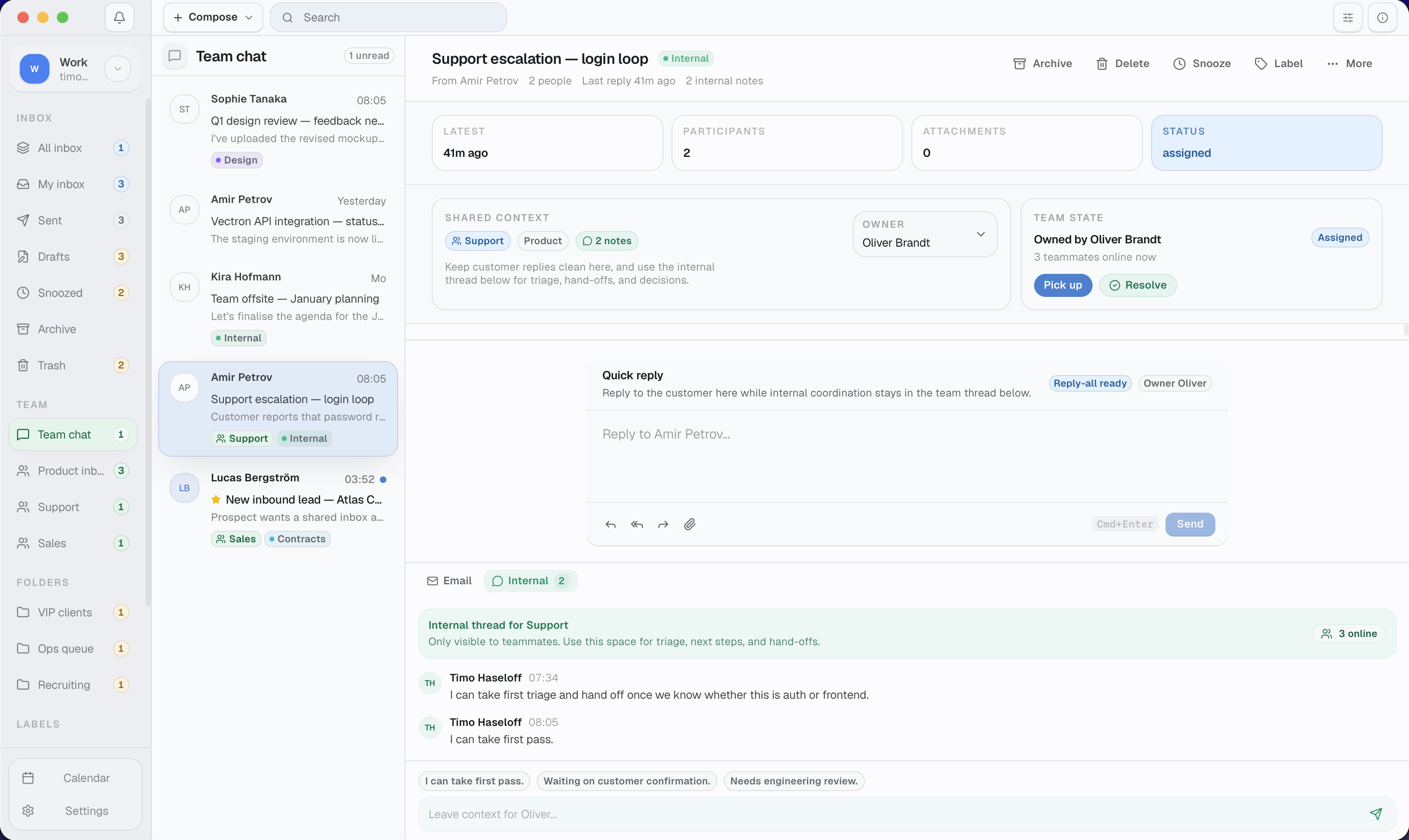
The product view is visible before the user has to trust the copy.
Open the product screen at full size if you want to inspect thread density, queue structure, and drafting context in detail.
Open full-size screenRelay overview
Product type
Collaborative email client
Primary users
Operations, support, and founder-led teams
Core behaviour
Fast triage, shared drafting, clear ownership
Reference point
Superhuman speed + Missive collaboration
Why Relay
Most email tools optimise for personal speed or team coordination, then leave the other side clumsy.
Relay starts from a simple observation: teams often work in email like it is a shared operating system, but most inbox tools still treat it like a solitary activity.
Superhuman proved that speed and keyboard fluency can make email feel sharp again. Missive proved that conversations, drafts, and internal notes can live together. Relay combines both instincts into one product direction.
The result is a shared inbox concept that gives individual users a faster command surface while helping the whole team see ownership, context, and status without extra process.
Workflow
The product gets strongest where speed and collaboration overlap.
These are the screens that do the real persuasive work: they show shared context, fast actions, and a drafting surface that stays calm under load.
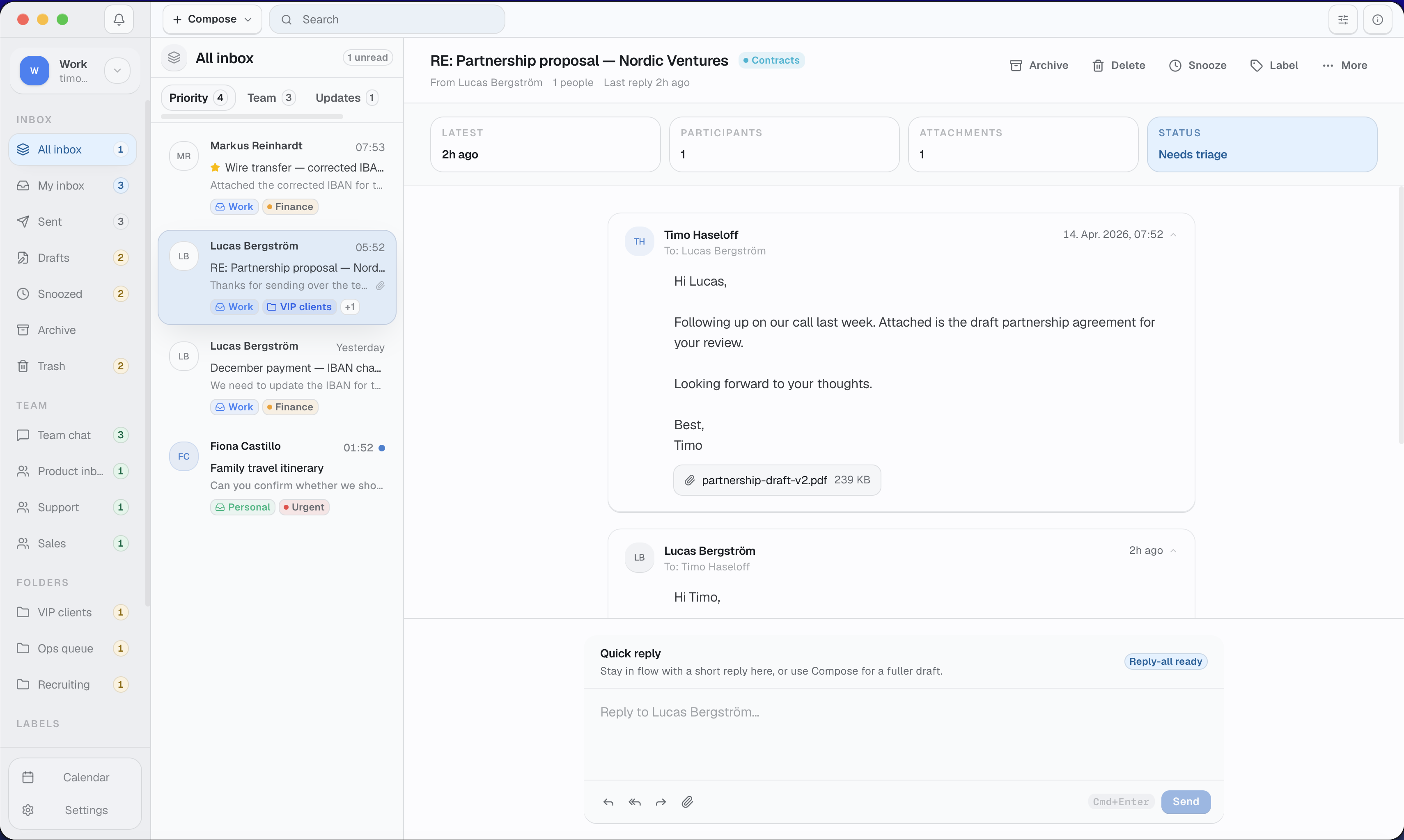
Shared context
The inbox stays readable even when the thread carries real operational detail.
Priority groupings, status-aware threads, and the reply surface stay in one frame so the whole team can read the state of work quickly.
Inspect this screen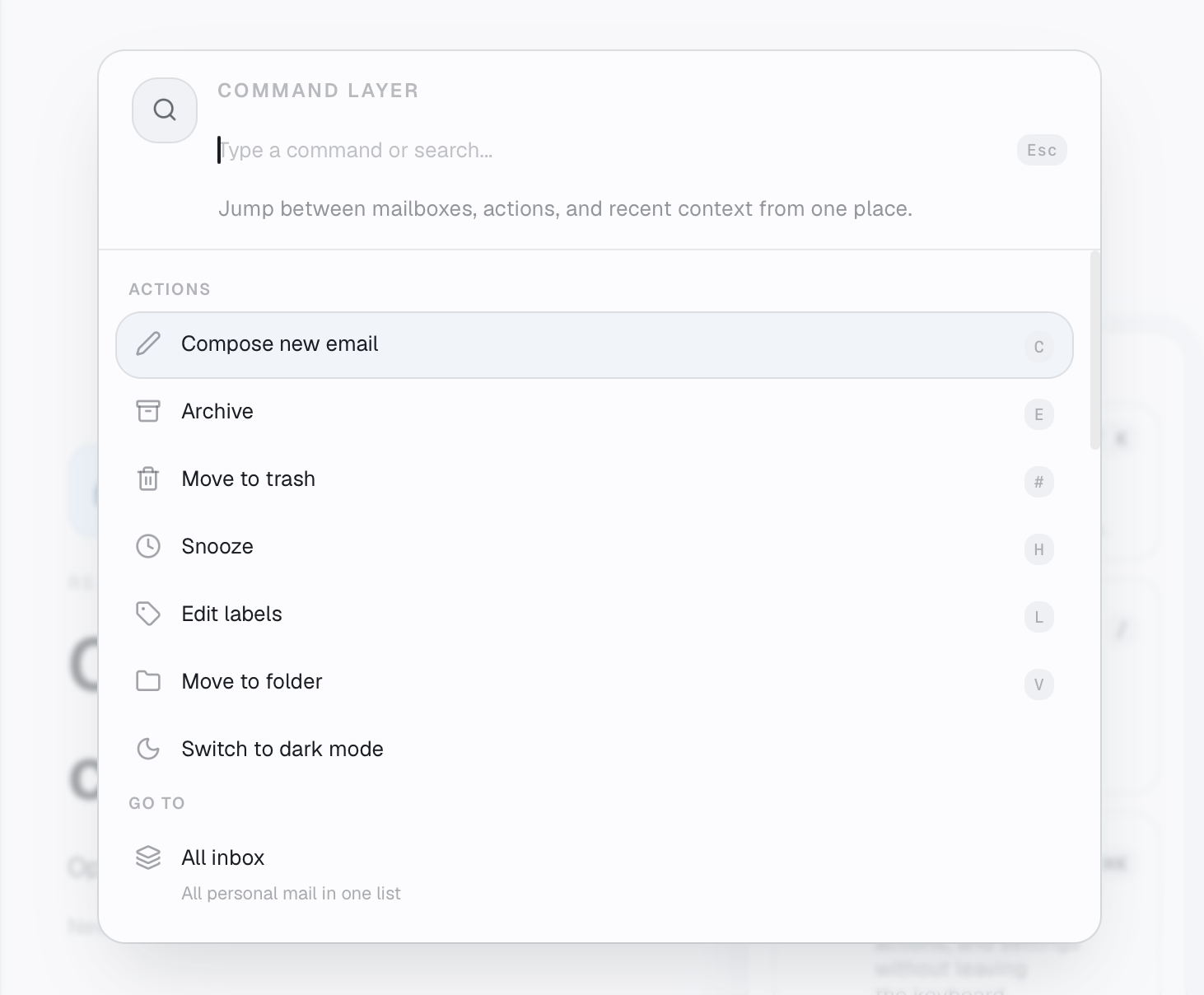
Command layer
The fastest actions sit behind one keyboard-first surface.
Compose, archive, snooze, labels, and navigation are reachable from a single command layer so repeat work feels immediate.
Open full size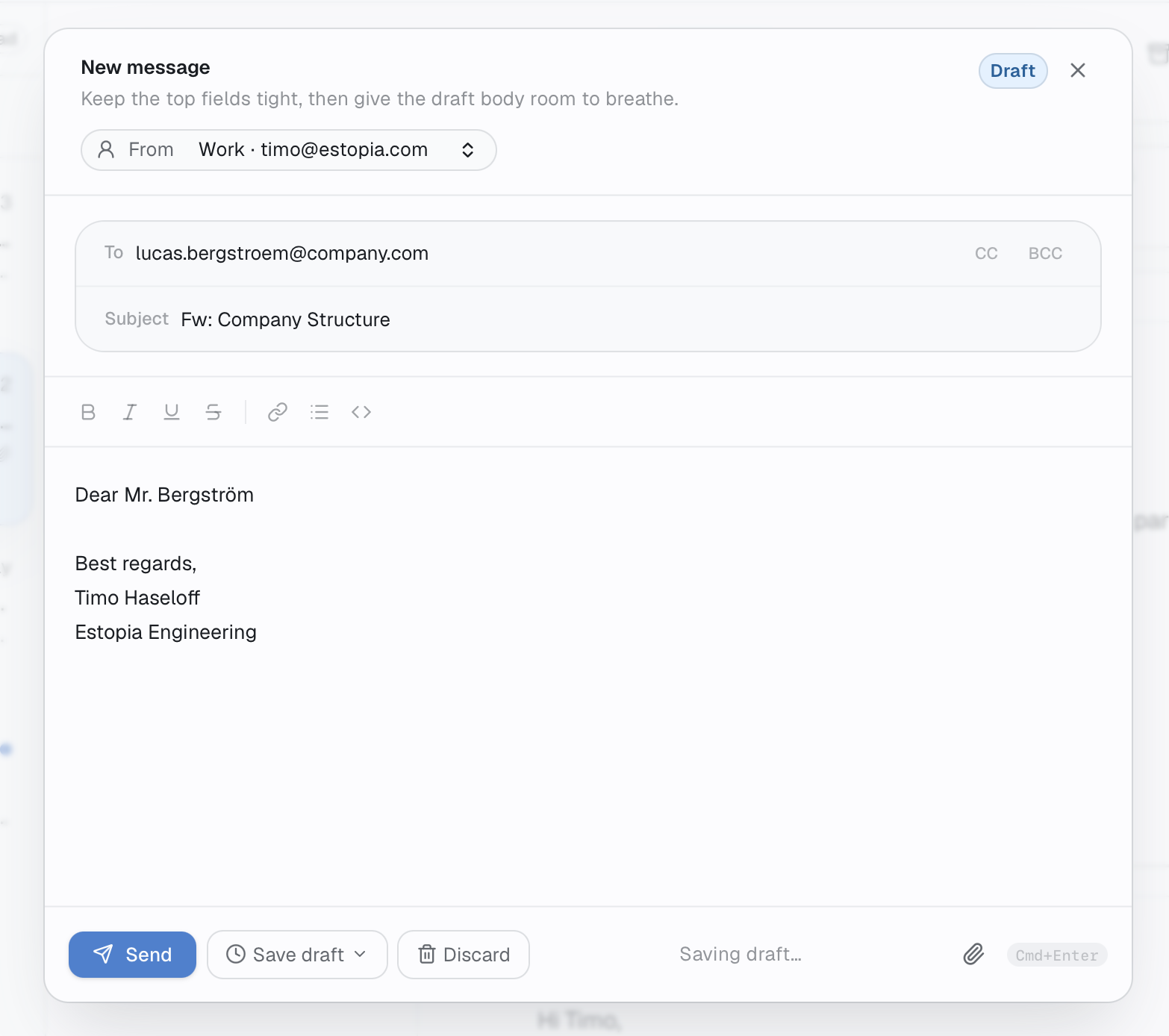
Drafting
Compose stays tight at the top and calm in the body.
The editor keeps metadata compact, leaves room for writing, and makes draft state obvious while you stay inside the workspace.
Open full sizeWhat changed
The product decisions stay practical instead of decorative.
This section now does one job: show what changed in repeated daily work, not restate the same product claim in a fresh card layout.
Daily-use improvements
- A split-view inbox for fast scanning, thread context, and drafting.
- Shared drafts and internal notes to reduce duplicated replies.
- Assignment and ownership patterns that keep conversations visible.
- Priority and later queues for calmer inbox triage.
- A tighter command surface for people who process email all day.
- Responsive layouts that still work cleanly on smaller screens.
Shared inbox without drag
Relay keeps assignment, internal context, and drafting in the same place, so teams do not need to bounce between email and chat.
Keyboard-first decision making
The interface is shaped around speed: triage, snooze, assign, and reply all sit close to the keyboard instead of behind layered menus.
Built for real team ownership
Instead of pretending email is personal-only, Relay makes visibility, accountability, and hand-offs part of the core workflow.
Supporting surfaces
The system extends beyond a single thread view.
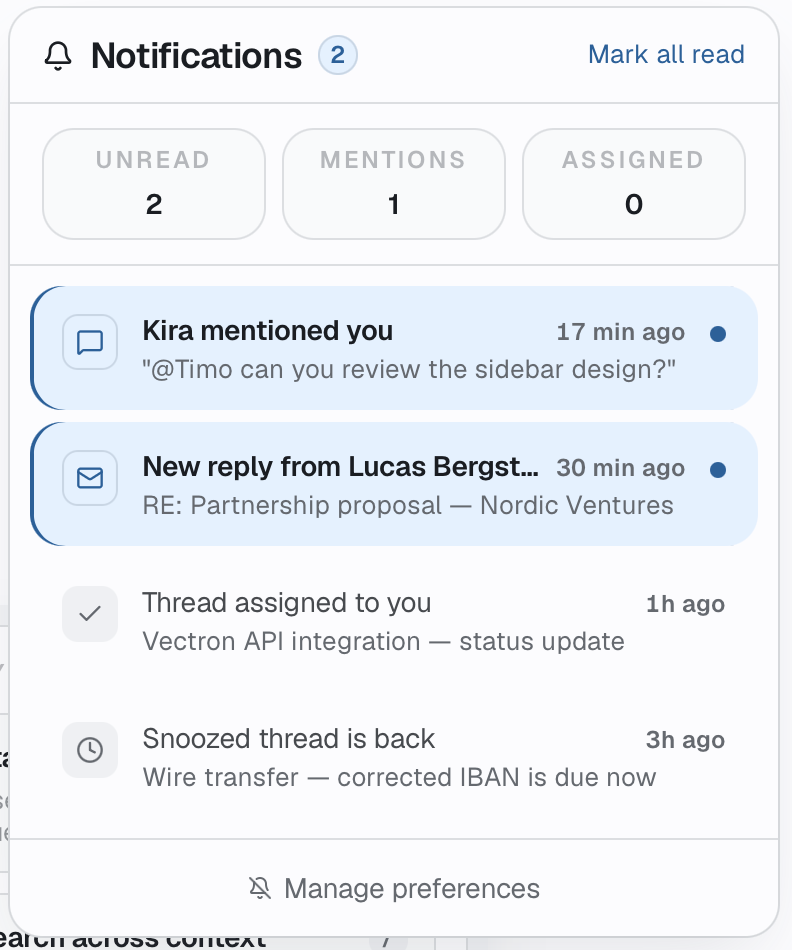
The extra surfaces matter because they keep planning and notification triage attached to the same working context, rather than sending people into separate tools.
Notifications
Mentions, new replies, and assignments become a focused queue.
The notifications view separates unread, mentions, and assigned work so people can respond to what matters without losing flow.
Open full size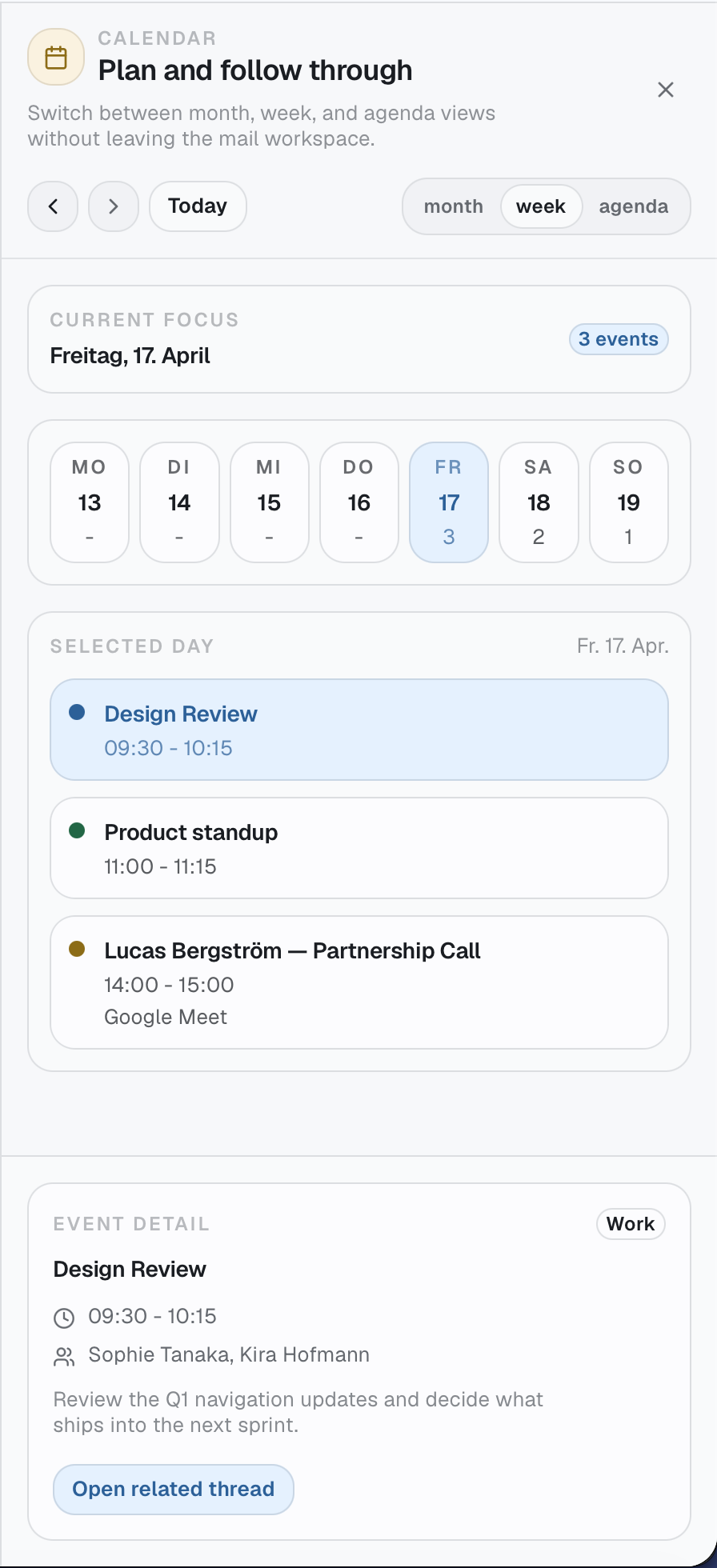
Calendar
Planning and follow-through stay connected to the inbox.
Calendar views let the team move between scheduling, event detail, and related threads without leaving the mail workspace.
Open full sizeNext move
Need a shared workflow that feels this direct in real use?
We help teams turn messy operational routines into software with clearer ownership, tighter decisions, and less friction across the day.